






Beyond the Click: How Upgrading Your Peripherals Transforms Your Workday
Share
For years, we’ve settled for the flat, uninspiring keyboards built into our laptops or provided by corporate IT departments. However, a massive shift is occurring in the home office world: the rise of the tactile workspace. Just as a chef relies on a perfectly balanced knife, a modern professional’s primary tool is their keyboard and mouse. Upgrading the tactile feedback of your workspace isn’t just a luxury; it is a fundamental improvement to your daily workflow and physical comfort.
1. The Ergonomics of Key Travel Typing on a flat membrane keyboard forces you to "bottom out" on the hard plastic, sending micro-shocks through your fingers and wrists with every keystroke. Investing in a high-quality mechanical keyboard with proper key travel allows your fingers to type with less force. This reduces wrist fatigue and significantly decreases the risk of repetitive strain injuries (RSI) during long coding sessions or writing sprints.
2. The Importance of the Acoustic Profile The sound of your workspace impacts your focus. A harsh, loud keyboard can be distracting not only to you but to anyone else in your home. To balance the tactile feel of a great keyboard with acoustic comfort, you must place it on a dense surface. A premium desk pad absorbs the high-frequency clicking sounds, transforming them into a satisfying, deep typing acoustic that actually helps you lock into a state of flow.
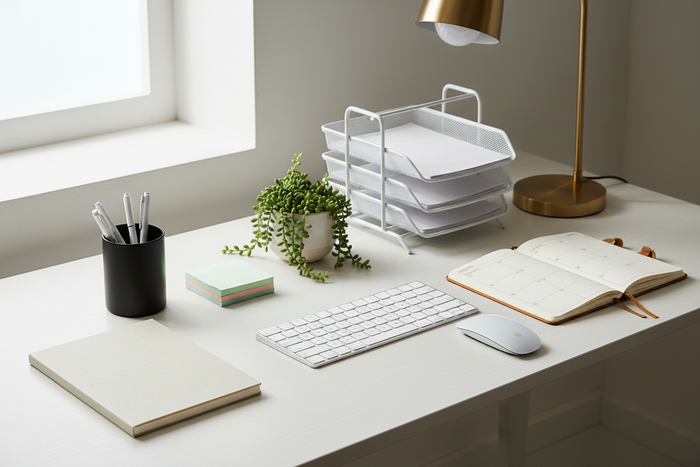
3. Visual Anchoring and Mouse Precision Beyond sound absorption, an oversized desk pad serves as a visual anchor. It frames your most important tools—your keyboard and mouse—creating a "zone of execution." Furthermore, the smooth glide of a quality leather or felt surface ensures pixel-perfect mouse tracking, which is essential for graphic designers, video editors, and heavy Excel users.